6 min read
·
1,206 words
Google just dropped something that made Figma’s stock fall over 4% in a single day. That’s not a typo — a free tool from Google Labs is now threatening the most dominant UI design platform in the industry.
Google Stitch, the AI-powered interface design tool, just got a massive upgrade on March 19, 2026. And this time, it’s not just generating individual screens. Google is calling the new paradigm “vibe design” — and honestly, after looking at what it can do, the name kind of fits.
In This Article
What Is Google Stitch, Exactly?
If you haven’t been following Google Stitch since its original launch in May 2025, here’s the short version: it’s an AI tool that generates complete, high-fidelity user interfaces from text prompts or reference images. It spits out clean HTML, CSS, and even Tailwind code — the stuff that usually takes designers and front-end developers hours to hand-craft.
But the original version had limitations. You could only generate one screen at a time. The interface was basic. There was no real workflow for managing larger projects.
The March 2026 update changes all of that.
The “Vibe Design” Update: What’s New
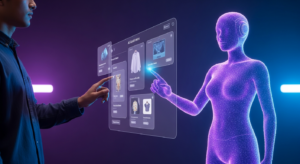
The centerpiece of this update is what Google calls an “AI-native, infinite canvas.” Think of it as a Figma-style workspace, but one where AI does the heavy lifting. You drop in text prompts, reference images, even code snippets — and the Stitch AI agent reasons across your entire project to generate designs that actually make sense together.
Here’s what caught my attention:
Multi-Screen Generation
The original Stitch could handle one screen at a time. Now? Up to five screens at once. Want a product catalog, checkout page, and confirmation screen for an e-commerce app? Just describe them and Stitch builds the whole flow. There’s even a “Play” button that lets you simulate user navigation through the screens.
According to Josh Woodward, VP of Google Labs: “You can ‘Stitch’ screens together in seconds and simply click ‘Play’ to quickly preview your interactive app flow. Stitch can automatically generate logical next screens based on the click, mapping out user journeys effortlessly.”
Voice-Powered Design
This one is wild. You can literally talk to your canvas. Ask for real-time design critiques, request three different menu options, or tell it to show you color palette variations — all through voice. The AI acts as a sounding board, helping you iterate through ideas without ever touching a mouse. I tried asking for “a more aggressive checkout button” and it actually understood what I meant by that vaguely emotional instruction.
DESIGN.md — The Bridge Between Tools
Google introduced a new concept called DESIGN.md — a markdown file that captures your design system rules in plain language. You can extract it from any URL, export it, and import it into other projects. It’s like a portable design system that both humans and AI agents can read.
For teams using multiple tools, this is genuinely useful. You define your design language once, and it follows you everywhere.
Built-In Design Agent + Agent Manager
The new Stitch includes a design agent that reasons across your entire project history. It’s not just responding to individual prompts — it understands the evolution of your design decisions. And when you’re exploring multiple directions simultaneously, the Agent Manager keeps everything organized.
MCP Server and SDK Integration
For developers who want to go deeper, Stitch now offers a MCP server and SDK. You can connect Stitch to external coding agents like Google Antigravity, which can review your designs and automatically generate new variations. The Stitch Skills repository on GitHub already has 2.4k stars, so the developer community is clearly interested.
Google Stitch vs Figma: Should You Switch?
Let’s be real — Figma isn’t going anywhere tomorrow. It has years of ecosystem, plugins, team workflows, and enterprise integrations that Stitch simply doesn’t match yet. But the direction is concerning for Figma shareholders (hence that 4% stock drop).
| Feature | Google Stitch | Figma |
|---|---|---|
| Price | Free (Google Labs) | $15-75/editor/month |
| AI UI Generation | Native, multi-screen | Limited (plugins) |
| Voice Design | Yes | No |
| Code Export | HTML, CSS, Tailwind | CSS (limited) |
| Design System | DESIGN.md (portable) | Figma tokens |
| Prototyping | AI-generated flows | Manual connections |
| MCP/Agent Support | Yes (Antigravity, SDK) | No |
| Team Collaboration | Basic | Enterprise-grade |
| Plugin Ecosystem | Growing (Skills) | Massive |
The key differentiator: Stitch is AI-first. It was built from the ground up around generative AI. Figma is adding AI features on top of a traditional design tool. That architectural difference matters a lot as AI capabilities continue to accelerate.
Who Is Google Stitch For?
In my opinion, Stitch is currently best suited for:
- Solo founders and indie hackers who need to prototype quickly without design skills
- Developers who want functional UI code without hiring a designer
- Product managers who want to visualize ideas before engineering sprints
- Early-stage startups that can’t afford Figma’s per-seat pricing
It’s less ideal (for now) for large design teams with established Figma workflows, enterprise clients needing SOC 2 compliance documentation, or designers who need pixel-perfect control over every element.
How “Vibe Design” Changes the Game
The term “vibe design” sounds like marketing fluff, but there’s a real concept underneath it. Instead of starting with wireframes and pixel-precise specifications, you start by describing what you want your users to feel. You describe business objectives, aesthetic preferences, and user emotions — and the AI translates that into actual interfaces.
It’s similar to how “vibe coding” changed development workflows in 2025-2026. You describe intent, the AI generates implementation, and you iterate from there. The feedback loop is dramatically faster than the traditional design → handoff → development pipeline.
If you’re interested in how AI is reshaping developer workflows more broadly, check out our Claude Code review — another tool that’s changing how we think about the design-to-code pipeline.
The Figma Problem
Figma’s stock reaction wasn’t just panic — it reflects a real strategic concern. Figma makes money by charging per-editor seat. Google Stitch is free. Figma’s AI features (like auto-layout suggestions and component generation) feel bolted on. Stitch’s AI is the product itself.
Figma will likely respond with more aggressive AI integration, possibly an acquisition, or maybe a free tier expansion. But they’re playing defense now, and in tech, that’s never a comfortable position.
Getting Started with Google Stitch
Stitch is available for free through Google Labs. You’ll need a Google account, and since it’s still experimental, expect occasional rough edges. Here’s how to get the most out of it:
- Start with a clear business objective — “I need a landing page for a SaaS analytics tool” works better than “make something cool”
- Use reference images — Upload screenshots of designs you like for better results
- Try the voice feature — It feels gimmicky at first, but it’s genuinely faster for iteration
- Export your DESIGN.md early — Establish design consistency before generating too many screens
- Connect external agents via MCP — If you’re already using AI workspace tools, the integrations multiply your output
Final Thoughts
Google Stitch’s “vibe design” update isn’t just an incremental improvement — it’s a statement about where UI design is heading. The infinite canvas, voice interaction, DESIGN.md portability, and MCP integrations create something that feels genuinely different from existing design tools.
Is it a Figma killer? Not today. But it’s a free, AI-native alternative that’s improving fast, backed by Google’s Gemini models and their massive infrastructure. For anyone building software in 2026, it’s worth spending an afternoon with.
The design industry is about to get a lot more interesting.

Written by
Gallih
Tech writer and developer with 8+ years of experience building backend systems. I test AI tools so you don't have to waste your time or money. Based in Indonesia, working remotely with international teams since 2019.